Ivan Leo on Why Manus Built a General Agent Before Building Products
Ivan Leo walks through building research agents with the Manus API at AI Engineer, demonstrating browser automation, Slack integration, and file processing with live code and real bugs.
Manus AI positions itself as a "general action engine" that goes beyond chat to execute tasks, automate workflows, and build full web applications from prompts. Ivan Leo, then at Manus AI, walks through the new Manus API in a live workshop at AI Engineer, showing how to build Slack bots, process invoices, and spin up research agents that connect to private data.
Video Summary and Key Insights
Ivan Leo, a product engineer at Manus AI at the time of this workshop, presents the Manus 1.5 platform and its newly launched API at the AI Engineer Code Summit. He demonstrates four products in the Manus ecosystem: a web development platform, Mail Manus for email automation, a remote browser operator, and the API itself. The core pitch is that Manus built a general AI agent first and then added vertical capabilities on top, which lets users do things like generate full web apps, operate authenticated browsers remotely, and connect to private data through Notion and other integrations. The workshop walks through five Jupyter notebooks covering API fundamentals, file uploads, webhooks, Slack integration, and a research agent that processes invoices against company policies stored in Notion.
Key Insights:
- Manus ships every chat with its own Docker sandbox. This means users can install Redis, set up Stripe webhooks, or run custom Python scripts inside a single Manus session. Ivan built a French learning app and a conference event browser entirely through prompts.
Because we built a general AI agent first and then web development capability second, we can do some pretty crazy things.

-
API pricing matches chat pricing. Whatever a query costs in the Manus web app, it costs the same through the API. Ivan explicitly said they don't want users worrying about whether one channel is more expensive than another.
-
The browser operator runs on your local machine. Unlike sandbox browsers (Browserbase, etc.), Manus can open tabs in your actual browser where you're logged into LinkedIn, Instagram, or internal tools. This is a big differentiator for tasks requiring authenticated access.
-
File uploads auto-delete after 48 hours. For enterprise clients with sensitive data, every file uploaded to the Manus Files API is automatically purged. Users can also delete files manually at any time.
What we wanna do at Manus is build a general AI agent that you wanna use in a variety of different ways, and we really wanna meet users where they're at.
-
Manus tasks have four states: running, pending, completed, error. The "pending" state means the agent needs clarification from you. This enables multi-turn workflows through the API where Manus asks follow-up questions before completing a task.
-
Webhooks replace polling for production use. A typical Manus task takes 3-5 minutes to complete. Ivan demonstrated using Modal for serverless webhook endpoints and warned that Slack requires a response within 3 seconds, so keeping servers warm matters.
-
Notion connectors enable private knowledge access. Ivan built a demo where a Slack bot processes expense receipts: Manus OCRs the image, looks up company reimbursement policies in Notion, and files the expense, all through the API.
-
Memory across conversations doesn't exist yet. When asked directly, Ivan confirmed that context doesn't persist between Manus sessions. Users must be explicit about background each time. He called it "something we're actively looking at."
What Makes Manus Different from Other AI Agents?
Ivan opened the workshop by addressing the obvious question: with dozens of AI agent platforms, what is Manus actually for?
The answer boils down to one architectural decision. Manus built a general-purpose agent with a full execution environment first, then layered specific capabilities on top. Most competitors go the other direction: they build a chat interface and then bolt on tools.
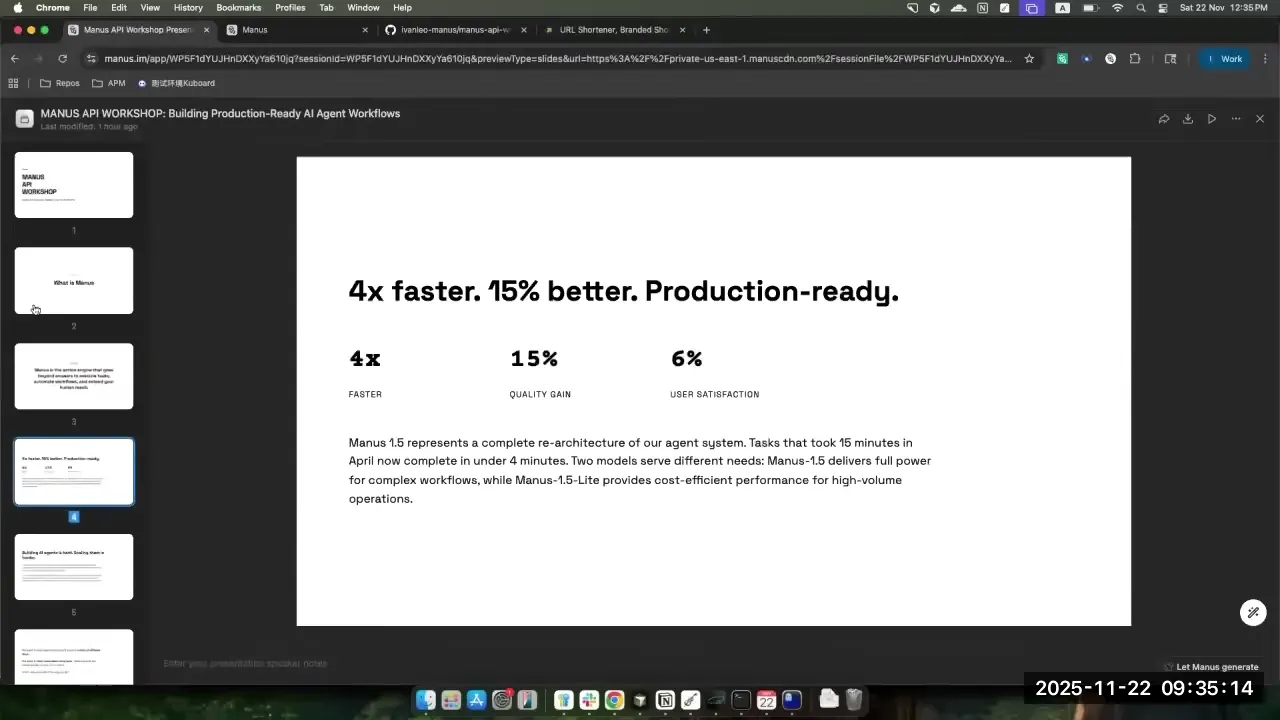
With Manus 1.5, Ivan listed three improvements: faster execution, higher quality outputs, and a re-architected model layer. He referenced scaling to "millions of conversations" daily and the infrastructure challenges that come with that, including sandboxes, reliability, and context management.
The two models available are Manus 1.5 (full-featured, for complex tasks) and Manus 1.5 Lite (faster, cheaper, for simpler queries). Ivan used Lite throughout the workshop for speed, but noted that both demo websites were built with the full 1.5 model.
Imagine building this six months ago. I would have to build a web application, set up my Chroma accounts, get my Chroma DB setup, find Cloud Code, boot it up. With Manus, it kinda just works.
How Does the Manus Ecosystem Work?
Manus doesn't live in one place. Ivan walked through five interfaces that all connect to the same underlying agent:
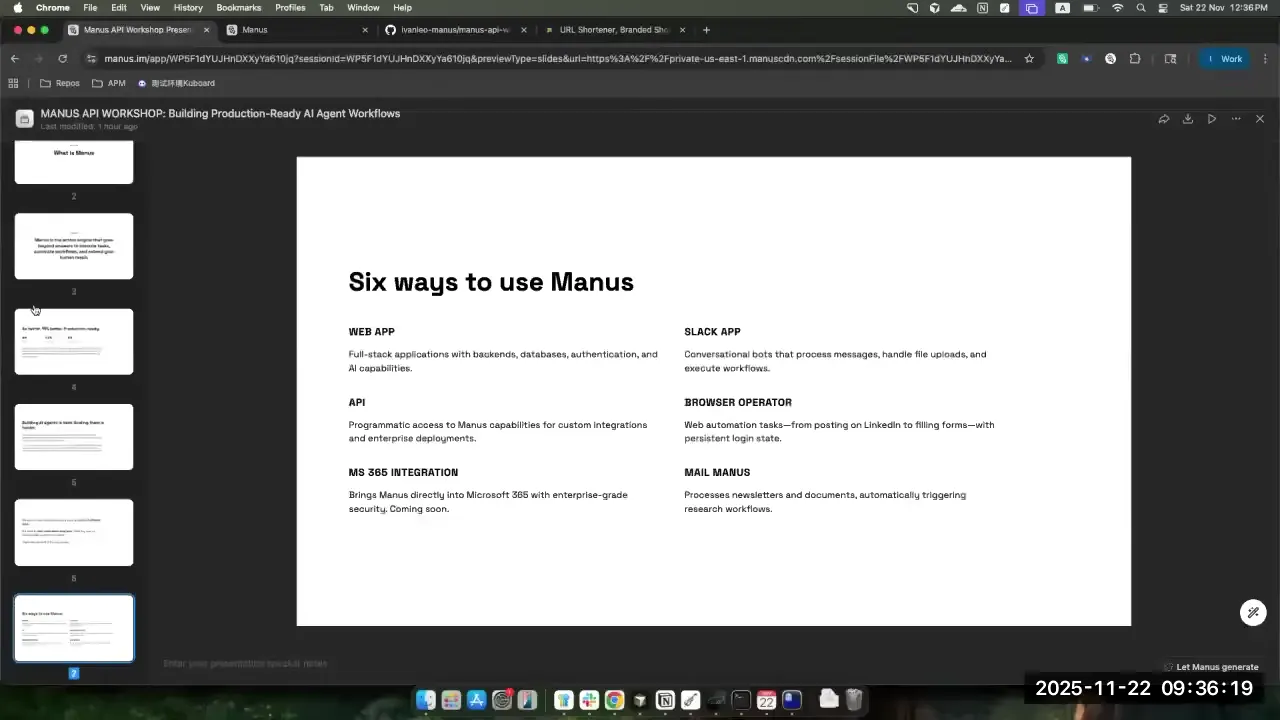
| Interface | What It Does | Status |
|---|---|---|
| Web App | Full-featured chat with file uploads, connectors, web dev | Production |
| Slack App | Manus in your workspace channels | Production |
| API | Programmatic access to all Manus capabilities | Newly launched |
| Browser Operator | Controls your local browser for authenticated tasks | Production |
| Microsoft 365 | Edits PowerPoints, fixes Excel sheets, works in docs | Just launched |
| Mail Manus | Email automation from your inbox | Production |
| iOS App | Manus on the go | Production |
The key point: these aren't separate products. They're different entry points to the same agent. Whatever Manus can do in the web app, the API can do programmatically.
What Can You Build with the Manus Web Platform?
Ivan showed three demos that highlighted the range of what Manus generates as full deployed web applications.
French Learning App
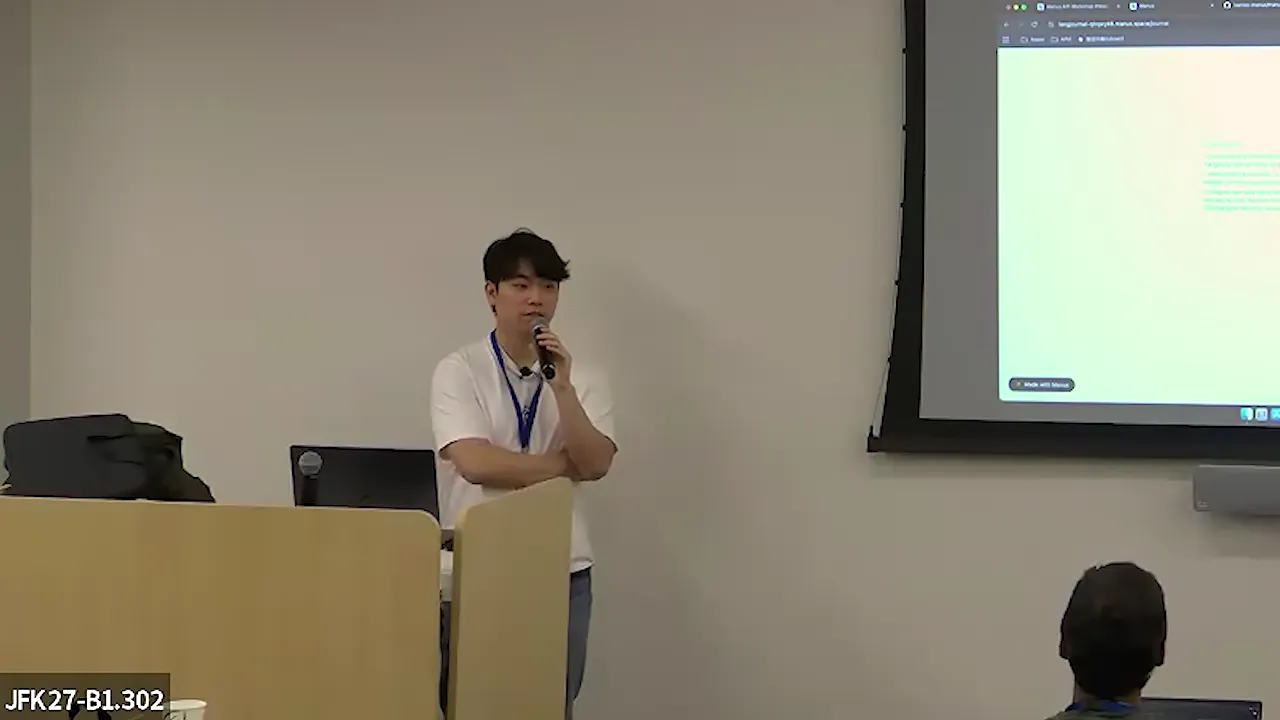
Ivan has been learning French for about a year (and admits he's "pretty bad at it"). He prompted Manus to build a daily practice app. The result: a web application where he journals in French throughout the day, and a language model provides inline corrections, vocabulary explanations, and even text-to-speech via Eleven Labs.
The app builds a profile over time. Ivan shared what it said about him: "It seems that you're 28, working at Manus where you build agents. Your super strength is your willingness to tackle abstract ideas, but you're really bad at anything related to distance and time."
Each Manus web app ships with a fully featured language model you can call for structured outputs, Whisper transcription, or any provider you integrate. Ivan added Eleven Labs for pronunciation with just an API key.
Conference Event Scraper
This was the standout demo. Ivan found the AI Engineer conference schedule confusing, so he told Manus: scrape every event from the website, put it in a JSON file, integrate Chroma for semantic search, and build a personalized timeline.
Manus wrote a Python script, converted all timezones to UTC, scraped the HTML with JavaScript execution, and deployed a searchable website with Google Calendar integration. Ivan pointed out that Manus also set up a Chroma vector database for "similar events" recommendations, all from a conversational prompt.
You may notice a very brutalist theme, and that's because I really like Chroma's website design. So everything I build looks like Chroma to some degree.
The web apps support Stripe webhooks, Redis queues via BullMQ, and basically any npm or pip package. Ivan joked: "Please don't abuse this platform, guys. I kinda like my job."
Browser Operator
The browser operator demo showed Manus opening a real Chrome tab on Ivan's laptop to search Google Maps for coffee near the AWS Hang 27 venue. Unlike sandbox browsers, this runs in your actual browser session with all your logins intact.
Ivan's suggestion for power users: run a Mac Mini in your basement, schedule daily tasks through the API, and let Manus handle them on your authenticated browser sessions in parallel. "You can spin up multiple instances of this in parallel."
How Does the Manus API Work?
The workshop's core: five Jupyter notebooks walking through API fundamentals. Here's what you need to know without watching Ivan debug environment variables in real time.
Authentication and First Task
Three environment variables: Manus API key, Slack bot token, Slack signing secret. The API lives at api.manus.ai. A simple POST creates a task and returns three things: task ID, task title, and task URL.
The task ID is the critical piece. It lets you push follow-up messages to the same session, maintaining context. When Manus enters "pending" state, it's waiting for your input before continuing.
File Handling
Three ways to give Manus context:
- Files API - Upload directly, get a file ID. Files auto-delete after 48 hours. Supports PDFs, images, JSON, anything.
- URL attachments - Pass a public URL (like a Berkshire Hathaway investor letter PDF) and Manus will fetch and process it.
- Base64 encoding - Send images inline, useful for automated screenshot-based bug investigation.
Ivan uploaded a Rick and Morty character dataset as JSON. Manus detected file types automatically, even when he mislabeled a PDF as JSON.
Webhooks vs. Polling
For prototyping, poll the task status every 20 seconds. Four possible states: running, pending, completed, error.
For production, register a webhook. Manus sends two notifications per task: one when processing starts, one when it completes. Ivan used Modal for serverless webhook endpoints (free tier gives $5/month credit).
As you're scaling out to more and more tasks, what you really want is a webhook. If you have a hundred Manus tasks running at once, you don't wanna keep polling for all of them.
Building the Slack Bot
The longest section of the workshop: building a Manus-powered Slack bot from scratch. Ivan walked through:
- Setting up a Modal FastAPI endpoint
- Handling Slack's challenge URL verification
- Parsing mention events (
@manusin a channel) - Creating Manus tasks from Slack messages
- Using Slack Block Kit for rich responses with "View on Web" buttons
- Multi-turn conversations via a Modal dictionary (key-value store mapping thread IDs to Manus task IDs)
- Converting Manus markdown output to Slack-compatible formatting
- Uploading files to the correct thread (not just the channel)
The live coding had real bugs. Wrong API key. Missing function parameters. File uploads going to the wrong thread. Ivan handled it well: "I'm just a bit stressed out today."
How Does the Research Agent Handle Private Data?
The final demo tied everything together. Ivan built a Slack bot that:
- Receives an expense receipt image in Slack
- Creates a Manus task with the image attached
- Manus OCRs the receipt (identifying merchant, amount, items)
- Connects to Notion via a pre-configured connector
- Looks up the company's expense reimbursement policy
- Determines if the expense qualifies
- Updates the Notion expense table
- Posts the result back to Slack
The Notion connector is configured once in the Manus web app, and then any API task can access it. Ivan created a fake company policy with categories and limits. When he submitted a $30 bagel receipt from Tompkins Square Bagels in New York, Manus checked whether food expenses in that range were covered under the travel meal policy.
This is where the "general agent" architecture pays off. A vertical expense tool would need custom OCR integration, a policy engine, and a database connector. Manus does all three because it already has a browser, a code sandbox, and connector support built into the base agent.
What Interesting Use Cases Has Manus Seen?
During Q&A, someone asked Ivan about the most interesting use cases. His answer wasn't some enterprise deployment. It was about booking sports courts.
Ivan is into a racket sport that's popular in Singapore, and booking court time requires navigating a government website. So he had Manus write a Python script that spun up six Selenium browser instances to scrape the entire government booking system. The script found available slots two weeks out and told him where to play.
I think that's one of the benefits you get by using a general agent with its own sandbox, with its own ability to spin up code to run it, to test it. And if you use the API, that's what you get out of the box.
That example captures what makes the general agent approach interesting. Manus didn't need a booking integration. It wrote Python, imported Selenium, ran six parallel browser instances, and scraped a government website. All inside its sandbox.
Other use cases Ivan mentioned:
- Internal support bots that click through every message in a support chat and generate reports with screenshots
- Zapier and AnyDan integrations built on the same API
- Automated bug investigation where you send a screenshot of a 404 page and Manus diagnoses the issue
What's on the Manus Roadmap?
The Q&A revealed several planned features:
| Feature | Timeline | Details |
|---|---|---|
| Document export (PPTX, PDF) | ~2 weeks from workshop | Manus-generated slides and markdown exportable as real PowerPoint or PDF files |
| Browser operator via API | On the roadmap | Currently requires UI approval for each session due to permission concerns |
| Cross-session memory | Being explored | No persistence between conversations yet; users must provide context each time |
| Auto-scaling and warm deployments | Future | For web apps built by Manus |
The browser operator API integration is particularly interesting. Ivan explained the delay: "You don't wanna randomly spin up tabs on your browser. We wanna make sure we have the permission system done well before we ship it off."
Memory is the most requested missing feature. One audience member asked directly about not having to repeat background context in every conversation. Ivan's honest answer: "For now, it's not possible, but maybe in the near future. You have to be a bit more explicit when working with Manus, unfortunately."
Frequently Asked Questions
What is the Manus API and how does it differ from the web app?
The Manus API provides programmatic access to the same agent that powers the Manus web app. According to Ivan Leo, the API has full feature parity: file uploads, connectors (Notion, Gmail), code sandboxes, and browser operation are all available. The pricing is identical to the web app, meaning a query that costs $X in the chat interface costs the same $X through the API.
How much does the Manus API cost?
Ivan Leo stated that Manus API pricing mirrors the web app pricing exactly. "Whatever you would spend for the same query in a Manus chat on a web app, the API would cost the same." There's no premium for programmatic access. Specific per-query costs were not disclosed during the workshop.
Can Manus access authenticated websites through the API?
Not yet through the API. The browser operator currently requires UI-based approval for each session. Ivan confirmed this is on the roadmap but said the team wants to get the permission system right before shipping it. For now, authenticated browser tasks must be initiated through the web app or local browser operator.
How does Manus handle sensitive data and file privacy?
Every file uploaded to the Manus Files API is automatically deleted after 48 hours. Users can also delete files manually at any time via an API call. Ivan stated that Manus staff cannot read user chats: "User privacy is really important for us. We can't read any of the chats." Data is housed in the US.
What is the difference between Manus 1.5 and Manus 1.5 Lite?
Manus 1.5 is the full-featured model for complex tasks like building web applications and deep research. Manus 1.5 Lite is faster and cheaper, designed for simpler queries. Ivan used Lite throughout the API workshop for speed but confirmed both demo websites were built with the full 1.5 model.
Can I build a Slack bot with the Manus API?
Yes. Ivan built one live during the workshop. The architecture uses a serverless endpoint (he used Modal) to receive Slack webhooks, create Manus tasks, and post results back to the correct thread. Multi-turn conversations work by mapping Slack thread IDs to Manus task IDs in a key-value store.
Does Manus remember context between conversations?
No. When asked directly during Q&A, Ivan confirmed that cross-session memory doesn't exist yet. He called it "something we're actively looking at" but said for now, users must provide background context explicitly in each new conversation.
What integrations does Manus support out of the box?
Manus supports Notion, Gmail, Slack, Zapier, AnyDan, Microsoft 365, and custom connectors. Each connector has a UUID that you include in API payloads. Ivan also mentioned support for the OpenAI Responses SDK format and willingness to add support for other AI frameworks like Vercel AI SDK and CopilotKit.
Key Takeaways
- Manus is an agent-first platform, not a chat-first one. The general agent with a Docker sandbox enables everything from web app generation to Selenium scraping without specialized integrations.
- The API has full parity with the web app at the same price point. File uploads, connectors, webhooks, and multi-turn conversations all work programmatically.
- The browser operator is a genuine differentiator. Running on your local machine with real login sessions solves the authenticated access problem that sandbox browsers can't touch.
- Production-grade Slack bots are buildable in an afternoon using Modal for serverless hosting, Block Kit for rich messages, and Manus for the actual intelligence layer.
- Memory and browser API permissions are the biggest gaps. Both are acknowledged and on the roadmap, but neither is available today.
- Live coding is honest coding. Ivan's workshop had wrong API keys, missing parameters, and Slack threading bugs. That's more useful to watch than a polished pre-recorded demo, because you see how the debugging actually works.
This post is based on Building Intelligent Research Agents with Manus - Ivan Leo, Manus AI by AI Engineer.