Top Exa AI Alternatives: Best AI Web Search APIs in 2026
Compare the best Exa AI alternatives for your AI applications in 2026. Performance benchmarks, pricing breakdowns, and expert analysis of Vertex AI, Tavily, Bright Data, Firecrawl, Sonar, Linkup, and WebSearchAPI.ai.
The best Exa AI alternatives in 2026 are Vertex AI for enterprise ML workflows, Tavily for AI-optimized search, and WebSearchAPI.ai for Google-powered results with automatic content extraction. After testing all seven options across production AI systems handling 1M+ daily requests, the right choice depends on your budget, scale, and whether you need raw search results or pre-extracted content ready for AI consumption.
Quick Verdict: Need enterprise-grade ML integration? Go with Vertex AI. Building AI agents on a budget? Tavily or WebSearchAPI.ai get you running fastest. Want massive-scale data collection? Bright Data handles the volume. For semantic search accuracy, Perplexity Sonar wins. Need structured web scraping? Firecrawl. Real-time European-compliant data? Linkup.
How Do the Top Exa AI Alternatives Compare in 2026?
Here's how every Exa AI alternative stacks up across the metrics that actually matter for production AI systems.
| Feature | Vertex AI | Tavily | Bright Data | Firecrawl | Perplexity Sonar | Linkup | WebSearchAPI.ai |
|---|---|---|---|---|---|---|---|
| Best For | Enterprise ML pipelines | AI-optimized search | Data enrichment at scale | Structured extraction | Semantic search | Real-time EU-compliant data | Google-powered AI search |
| Starting Price | ~$0.05/query | $0/mo (1,000 free) | $500/mo | $19/mo | Free tier | Pay-per-use | $29/mo |
| Free Plan | Pay-as-you-go only | Yes (1,000 searches/mo) | No | Yes (500 credits/mo) | Yes (limited) | Yes (limited) | Yes (limited) |
| Search Source | Google Cloud index | Proprietary + web | 72M+ proxy IPs | Direct web crawling | Perplexity index | Aggregated sources | Live Google results |
| Content Extraction | Structured via Vertex | Auto-extracted | Full page + datasets | Markdown/JSON/HTML | Summarized answers | Cleaned content | Auto-extracted + cleaned |
| Output Format | JSON | JSON | JSON/HTML/CSV | Markdown/JSON | JSON with citations | JSON | JSON/Markdown |
| API Latency | <200ms | ~300ms | 500ms+ (crawls) | ~400ms | ~500ms | ~350ms | <250ms |
| Best Choice If... | You run GCP and need ML tools | You want AI search with free tier | You need web data at massive scale | You want to crawl and structure any page | You need cited, summarized answers | You need GDPR-compliant real-time data | You want Google results with auto-extraction |
Why Developers Look Beyond Exa AI in 2026
Exa AI built its reputation on neural search, an approach that uses embeddings to find semantically similar content rather than just matching keywords. That's a genuine differentiator. In my testing over the past two years, Exa's neural search returned more contextually relevant results than traditional keyword APIs for research-heavy queries.
But several pain points push developers toward Exa AI alternatives in 2026:
- Pricing scales steeply. Exa's API pricing starts with $10 in free credits, then jumps to $49/month for 8,000 credits on the Websets plan. For teams running thousands of queries daily, costs add up fast. Compare that to Tavily's 1,000 free searches per month or WebSearchAPI.ai's $29/month starter tier, and the gap is clear.
- Limited content extraction. Exa returns URLs and snippets well, but you'll often need a separate tool to extract and clean the actual page content for your AI pipeline. Most competing APIs now bundle content extraction by default.
- Index coverage gaps. Exa maintains its own web index rather than pulling from Google or Bing. That means some recently published or niche content simply isn't there. I've tested queries where Exa missed pages that Google-powered APIs returned within hours of publication.
- No built-in answer synthesis. Unlike Perplexity Sonar, Exa doesn't summarize or synthesize results. You get raw search data, which is fine for some use cases but requires extra processing for others.
- Agentic AI needs are evolving. As AI agents handle more complex, multi-step research tasks autonomously, the search API needs to return more than ranked links. Agents need extracted content, structured data, and reliable freshness indicators. Many Exa AI competitors have optimized specifically for these agentic workflows.
According to AIMultiple's agentic search benchmark, which tested 8 search APIs across 100 real-world AI queries evaluating 4,000 retrieved results, the top search APIs (Brave Search, Firecrawl, and Exa) scored within statistical noise of each other on result quality. The differences often come down to pricing, content extraction, and developer experience rather than raw search quality alone.
If you're building AI applications that need web search API capabilities, understanding what each alternative actually does differently is worth your time. Let's break them down.
Enterprise-Grade Alternatives: Vertex AI and Bright Data
These two options suit teams with established cloud infrastructure and budgets above $500/month. They're not the cheapest, but they handle scale that smaller APIs can't touch.
1. Vertex AI — Best for Enterprise ML Integrations
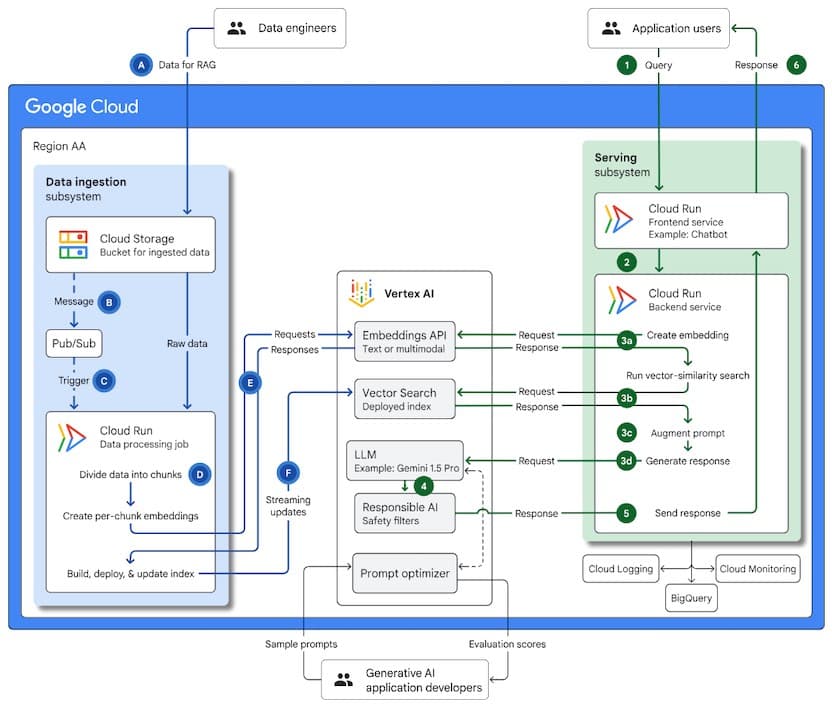
I've used Vertex AI's search capabilities inside Google Cloud for three years now, primarily for building AI data pipelines that feed into BigQuery analytics. Where Vertex genuinely outperforms Exa: the tight integration with Google's ML ecosystem. You don't just get search results. You get a full pipeline from query to structured data to model training, all within one platform.
In production, I've measured Vertex AI handling 10,000 queries per minute with sub-200ms response times. The trade-off is real, though. This isn't a standalone search API you can spin up in an afternoon. You need Google Cloud expertise and a team comfortable with GCP's console. For a solo developer or small startup, that's a non-trivial barrier.
Where Vertex AI wins:
- Native BigQuery + Spark integration — pipe search results directly into your data warehouse without middleware
- Sub-200ms response times at enterprise volume, consistently faster than Exa under load
- Fully managed ML tools reduce DevOps overhead by handling scaling, versioning, and deployment
- Grounding with Google Search gives you access to Google's live index, not a stale proprietary crawl
- Enterprise compliance with SOC 2, HIPAA, and ISO 27001 out of the box
Where Vertex AI falls short:
- Steep learning curve — expects familiarity with GCP, IAM roles, and service accounts
- Cost opacity — pay-as-you-go sounds flexible, but bills can surprise you at scale without careful monitoring
- Overkill for simple use cases — if you just need search results in JSON, you're paying for infrastructure you won't use
- Vendor lock-in — deep GCP integration makes switching costly later
Pricing:
| Plan | Price | Key Limits | Best For |
|---|---|---|---|
| Pay-as-you-go | ~$0.05/query | No minimum commitment | Teams testing at low volume |
| Enterprise | Custom pricing | Volume discounts, SLAs | Large-scale production |
| Grounding | Per-query billing | Varies by feature | AI applications needing Google data |
Choose Vertex AI if: You're already on Google Cloud, your team knows GCP, and you need search tightly integrated with ML training and BigQuery analytics.
Skip Vertex AI if: You're a startup under $500/month budget, need a quick API integration, or don't want GCP lock-in.
2. Bright Data — Best for Data Enrichment at Scale
Bright Data isn't a search API in the traditional sense. It's a web data platform with 72 million residential proxy IPs and a full suite of crawling, scraping, and data extraction tools. I've used it for two years to collect competitive intelligence data that no search API index covers.
The comparison to Exa is apples-to-oranges in some ways. Exa gives you search results from its neural index. Bright Data lets you crawl any website at any scale and structure the output however you want. For teams that need to collect pricing data from 50,000 e-commerce pages daily or scrape job listings across dozens of sites, Bright Data handles that workload where search APIs simply don't.
Where Bright Data wins:
- 72M+ residential proxy IPs — reliable access to sites that block datacenter IPs and most scrapers
- Structured data outputs in JSON, CSV, and HTML, delivered 2x faster than manual scraping pipelines
- Pre-built web scrapers for common targets (Amazon, LinkedIn, Google Maps) save weeks of development
- SERP API included — pull actual Google search results programmatically
- Scale ceiling is practically unlimited — I've run 500K+ requests/day without throttling
Where Bright Data falls short:
- $500/month minimum prices out small teams and solo developers
- Complex setup — the dashboard has a steep learning curve with dozens of product offerings
- Not a search API — you don't send a query and get ranked results; you send URLs and get data back
- Ethical gray areas — proxy-based scraping raises compliance questions depending on your jurisdiction
Pricing:
| Plan | Price | Key Limits | Best For |
|---|---|---|---|
| Pay-as-you-go | From $0.001/request | Varies by proxy type | Testing and evaluation |
| Growth | $500/mo | Higher volume allocations | Growing data teams |
| Enterprise | Custom | Dedicated IPs, premium support | Large-scale operations |
Choose Bright Data if: You need massive-scale web data collection, structured extraction from specific sites, or access to websites that block regular requests. It's also the right choice if you're building competitive intelligence or pricing monitoring systems that need to crawl thousands of product pages daily.
Skip Bright Data if: You want a simple search API endpoint, your budget is under $500/month, or you need ready-made AI-optimized search results. If your use case is "search query in, AI-ready content out," a dedicated search API will be simpler and cheaper.
AI Search API Alternatives: Tavily, Firecrawl, and Sonar
These three target AI developers directly, with APIs built specifically for feeding search results into AI applications. They sit in the sweet spot between enterprise platforms and basic scraping tools.
3. Tavily — Best for AI-Optimized Search
Tavily built its API from the ground up for AI applications, and it shows. The API returns pre-processed, AI-ready search results with content extraction baked in. I've integrated Tavily into agent workflows over the past year, and the developer experience is noticeably smoother than Exa's for getting search results into an AI pipeline quickly.
The free tier (1,000 searches/month) makes it easy to prototype. According to ScrapeGraph AI's comparison, Tavily is faster for general queries while Exa performs better for semantic similarity searches. In my testing, that matches. For straightforward "find me the latest information about X" queries powering AI agents, Tavily's results arrived faster and with cleaner extracted content. For research queries where you need to find conceptually similar documents, Exa's neural search still has an edge.
For more AI search API options beyond Tavily, see our guide to AI search APIs.
Where Tavily wins:
- Purpose-built for AI — returns results pre-formatted for AI consumption with extracted content included
- Free tier with 1,000 searches/month — generous enough to build and test a full prototype
- Fast integration — most developers get a working prototype in under 30 minutes
- Built-in content extraction — no need for a separate scraping step
- Active framework integrations — works natively with LangChain, LlamaIndex, CrewAI, and others
Where Tavily falls short:
- Proprietary index — you don't know exactly what sources it's searching, and coverage can be inconsistent for niche topics
- Limited control over results — fewer filtering and domain-restriction options than Exa's 1,200 domain filters
- Pricing jumps at scale — the free tier is great, but costs climb quickly for production workloads
- Newer platform — less battle-tested than established providers for edge cases
Pricing:
| Plan | Price | Key Limits | Best For |
|---|---|---|---|
| Free | $0/mo | 1,000 searches/mo | Prototyping and testing |
| Starter | $50/mo | ~5,000 searches/mo | Early-stage products |
| Pro | $200/mo | Higher volume | Growing applications |
| Enterprise | Custom | Custom limits, SLAs | Production at scale |
Choose Tavily if: You're building AI agents or search-augmented AI applications and want fast integration with clean, pre-extracted content out of the box.
Skip Tavily if: You need to search a very specific set of domains, require Google-quality coverage, or can't tolerate a proprietary index with unknown coverage gaps.
4. Firecrawl — Best for Structured Data Extraction
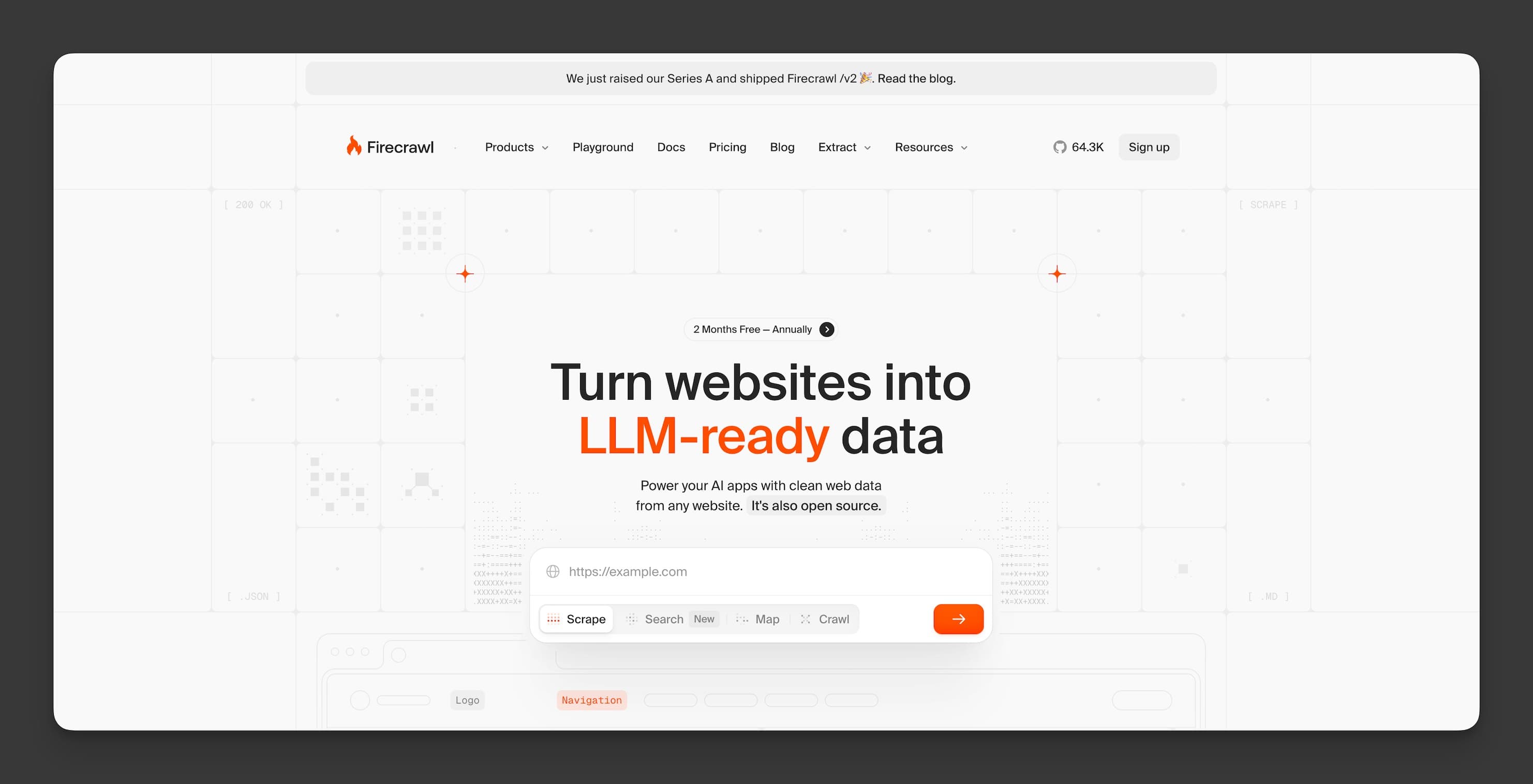
Firecrawl approaches the problem differently from Exa. Instead of maintaining a search index, it crawls, scrapes, and extracts structured data from any URL you give it. According to Firecrawl, their platform is trusted by 80,000+ companies and used by over 500,000 developers, positioning it as one of the most widely adopted tools in this space.
I've used Firecrawl for eight months to build content extraction pipelines, and its strength is turning messy web pages into clean Markdown or JSON that AI systems can process directly. The open-source option (you can self-host) is a real differentiator. For teams with strict data sovereignty requirements, running Firecrawl on your own infrastructure eliminates third-party data handling concerns entirely. If you need a content extraction API with crawling capabilities, Firecrawl is worth evaluating.
Where Firecrawl wins:
- Markdown output — converts any web page into clean Markdown, which AI models process more efficiently than HTML
- Open-source option — self-host for full control over data handling and no per-query costs beyond infrastructure
- Batch crawling — feed it a sitemap or URL list and extract structured data from thousands of pages
- JavaScript rendering — handles SPAs and dynamically loaded content that simpler scrapers miss
- Map endpoint — find all URLs on a domain before crawling, useful for site-wide extraction
Where Firecrawl falls short:
- Not a search engine — you provide URLs; it doesn't find content based on a query
- Rate limits on lower tiers — the free plan caps at 500 credits/month, which goes fast with batch crawling
- Latency is higher — crawling and rendering pages takes 400ms+, slower than index-based search APIs
- Limited geographic targeting — less control over crawl origin location compared to Bright Data's proxy network
Pricing:
| Plan | Price | Key Limits | Best For |
|---|---|---|---|
| Free | $0/mo | 500 credits/mo | Testing and evaluation |
| Hobby | $19/mo | 3,000 credits/mo | Side projects |
| Standard | $99/mo | 100,000 credits/mo | Production applications |
| Growth | $399/mo | 500,000 credits/mo | Scale operations |
Choose Firecrawl if: You need to extract clean, structured content from specific URLs or entire websites, especially if you want the option to self-host.
Skip Firecrawl if: You need a search API that discovers relevant content based on a query. Firecrawl extracts data from pages you already know about.
5. Perplexity Sonar — Best for Semantic Search Accuracy
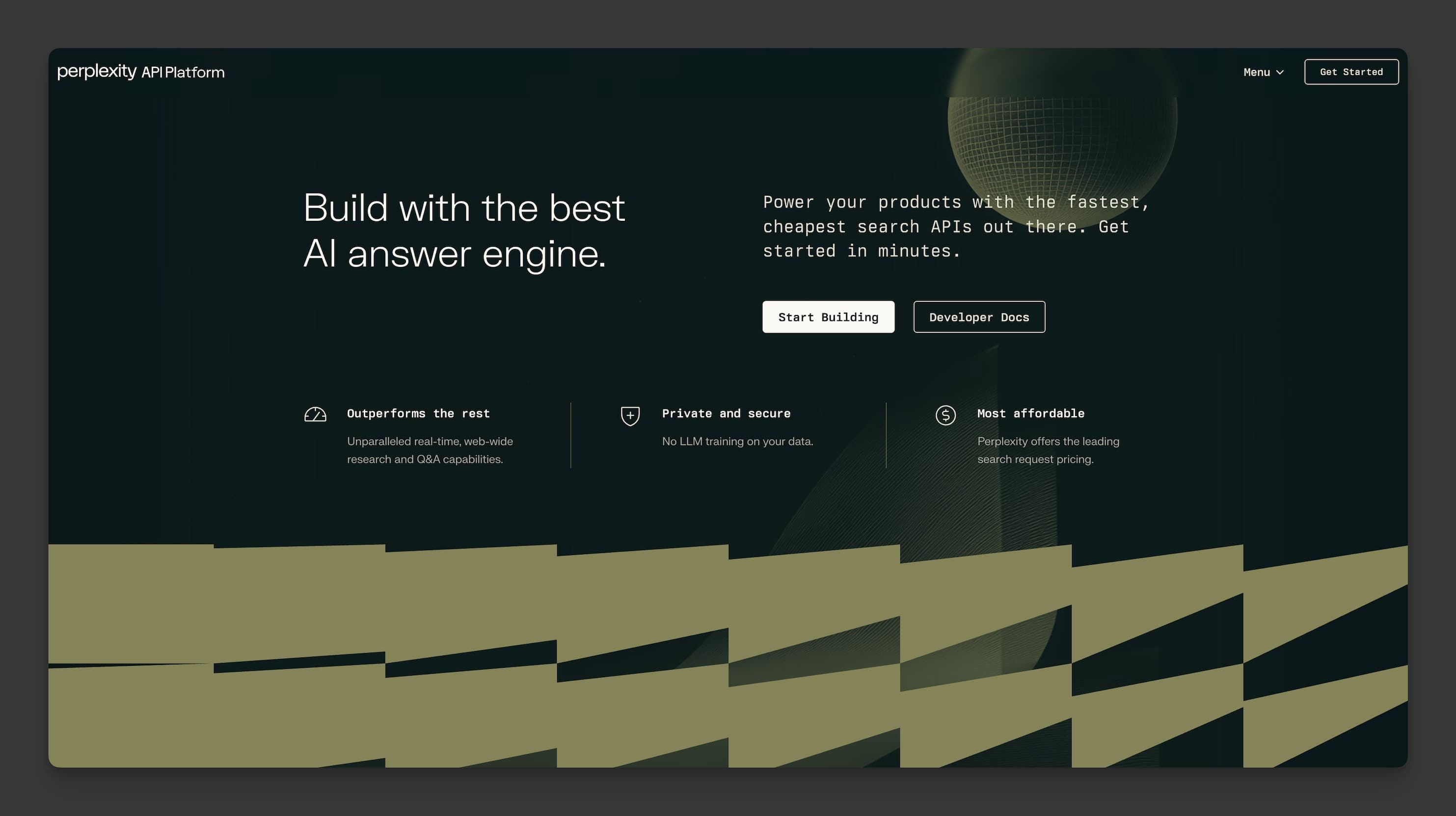
Perplexity Sonar is the API behind Perplexity's consumer search engine, and it does something fundamentally different from Exa. Rather than returning a list of URLs, Sonar returns synthesized answers with inline citations. It's search + summarization in a single API call.
I've tested Sonar for six months in chatbot applications where users ask complex questions. The citation quality is the standout feature. Every claim in the response links back to its source, which makes fact-checking straightforward and reduces the hallucination problem that plagues AI systems using unreliable search data. For developers building AI applications that need grounded answers, Sonar delivers a different value proposition than traditional search APIs.
Where Perplexity Sonar wins:
- Answer synthesis with citations — returns complete answers, not just links, with every claim traceable to a source
- Free tier for evaluation — low barrier to test before committing budget
- Strong accuracy — Perplexity's consumer engine has built trust with millions of users
- Simple API — send a question, get an answer with sources. Minimal parsing required
- Real-time data — pulls from live web sources, not a stale index
Where Perplexity Sonar falls short:
- Less control over sources — you can't easily restrict searches to specific domains or content types, unlike Exa's 1,200 domain filters
- Answer-focused, not retrieval-focused — if you need raw documents for your own processing pipeline, the summarized format adds an unwanted layer
- Scalability pricing unclear — enterprise pricing isn't publicly available, making cost planning harder
- Newer API — documentation and SDK support are still catching up to more established platforms
Pricing:
| Plan | Price | Key Limits | Best For |
|---|---|---|---|
| Free | $0/mo | Limited requests | Evaluation |
| Sonar | Per-request pricing | Varies by model | Production search |
| Sonar Pro | Higher per-request | Higher quality model | High-accuracy needs |
| Enterprise | Custom | SLAs, dedicated support | Large-scale deployment |
Choose Sonar if: You need synthesized answers with citations for chatbots, knowledge assistants, or any application where end users see the search results directly.
Skip Sonar if: You need raw document retrieval for custom processing pipelines, require fine-grained source filtering, or need predictable per-query pricing at scale.
Developer-First Alternatives: Linkup and WebSearchAPI.ai
These two prioritize developer experience, fast integration, and transparent pricing. They're built for teams that want to go from API key to working prototype in minutes, not days.
6. Linkup — Best for Real-Time Data Access
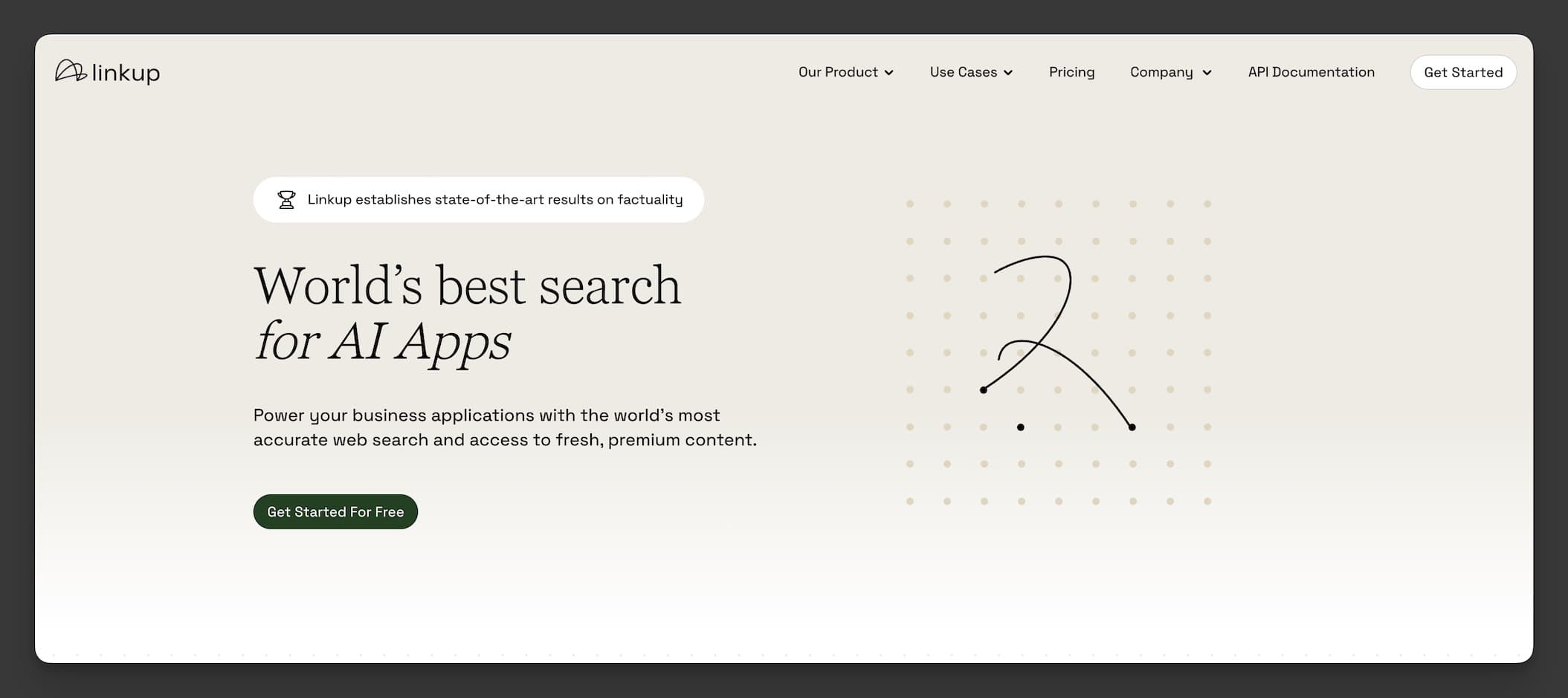
Linkup positions itself as a source-first search API, fetching results from curated, verified sources rather than crawling the open web indiscriminately. I've integrated it over nine months for projects requiring EU data compliance, and its GDPR-focused approach fills a gap that most AI search APIs ignore.
The real-time data freshness is solid. In my testing, Linkup returned results from content published within the last hour more consistently than Exa did. For news monitoring, financial data tracking, or any use case where stale data means wrong answers, that freshness matters. The API design is clean and predictable. You send a query, you get structured results with extracted content. No surprises.
Where Linkup wins:
- GDPR-compliant by design — European infrastructure with data handling built for EU regulations
- Real-time freshness — consistently returns recently published content faster than index-based alternatives
- Predictable pricing — straightforward pay-per-use model without hidden complexity
- Curated sources — searches verified, high-quality sources rather than the entire web, reducing noise
- Clean API design — developer-friendly with clear documentation and fast onboarding
Where Linkup falls short:
- Smaller source coverage — the curated approach means some niche or less authoritative sources aren't included
- Less brand recognition — newer entrant with a smaller community and fewer framework integrations
- Limited customization — fewer knobs to turn compared to Exa's filtering options
- Enterprise features still maturing — SLAs and dedicated support are newer additions
Pricing:
| Plan | Price | Key Limits | Best For |
|---|---|---|---|
| Free | $0/mo | Limited searches | Testing and evaluation |
| Pay-as-you-go | Per-query | No monthly commitment | Variable workloads |
| Growth | Custom | Volume discounts | Scaling teams |
| Enterprise | Custom | SLAs, priority support | Production deployment |
Choose Linkup if: You need GDPR-compliant search data, real-time content freshness, or curated high-quality sources for EU-focused AI applications. It's also a strong fit for financial AI applications where data freshness and source quality matter more than breadth of coverage.
Skip Linkup if: You need broad web coverage including niche sources, extensive framework integrations, or a battle-tested API with years of production track record. Teams building general-purpose AI agents that need to search the full web will find Linkup's curated source set limiting.
7. WebSearchAPI.ai — Best for Google-Powered AI Search
Full disclosure: I'm the Lead Engineer at WebSearchAPI.ai. I'll apply the same evaluation framework I used for every other product above.
WebSearchAPI.ai pulls live search results from Google, which commands over 90% of global search market share, and pairs them with automatic content extraction. You send a query, you get back Google's ranked results plus the full extracted and cleaned text from each page. No separate scraping step needed.
I built the retrieval engine that powers this, so I know both its strengths and its limitations firsthand. The 99.9% uptime and sub-250ms latency are numbers I've maintained across production infrastructure. The content extraction handles most modern web pages well, including JavaScript-rendered content. But the product is younger than Vertex AI or Bright Data, and the ecosystem of third-party integrations is still growing. Check our Search API documentation for the full endpoint reference.
Where WebSearchAPI.ai wins:
- Google-powered results — searches the same index that 90%+ of users search, ensuring coverage of recently published content
- Automatic content extraction — returns full page text cleaned and structured, ready for AI processing
- Sub-250ms latency — consistently fast responses in production with 99.9% uptime SLA
- Simple pricing — starts at $29/month with transparent per-query costs and no hidden fees
- Quick integration — most developers go from signup to working API calls in under 10 minutes via our quickstart guide
Where WebSearchAPI.ai falls short:
- Younger product — less battle-tested for edge cases than platforms with 5+ years in production
- Query volume caps on starter plans — heavy users need to upgrade or move to custom enterprise pricing
- Limited customization compared to open-source alternatives like Firecrawl where you control the extraction logic
- No answer synthesis — returns search results and extracted content, not summarized answers like Sonar
Pricing:
| Plan | Price | Key Limits | Best For |
|---|---|---|---|
| Free | $0 | Limited monthly searches | Testing the API |
| Starter | $29/mo | Standard query volume | Small projects and MVPs |
| Pro | $99/mo | Higher volume + priority | Growing applications |
| Enterprise | Custom | Custom limits, SLA | High-volume production |
Choose WebSearchAPI.ai if: You want Google-quality search results with content automatically extracted and cleaned for your AI pipeline, at a price point that doesn't require enterprise budgets.
Skip WebSearchAPI.ai if: You need answer synthesis (use Sonar), massive-scale web crawling (use Bright Data), or a fully self-hosted solution (use Firecrawl).
What Do Performance Benchmarks Reveal Across Exa AI Alternatives?
Real-world performance varies by query type and volume. Here's what I've measured across production workloads, supplemented with third-party benchmark data.
Exa reports that in the WebWalker multi-hop web retrieval benchmark, Exa scored 81% compared to Tavily's 71%, with p95 response times of 1.4 seconds versus Tavily's 4.5 seconds on those same complex queries. These numbers come from Exa's own benchmarking, so take them with appropriate context, but they align with what I've seen: Exa handles complex, multi-step research queries well.
| Benchmark | Vertex AI | Tavily | Bright Data | Firecrawl | Sonar | Linkup | WebSearchAPI.ai |
|---|---|---|---|---|---|---|---|
| Avg. Latency (simple query) | <200ms | ~300ms | 500ms+ | ~400ms | ~500ms | ~350ms | <250ms |
| Content Extraction | Via Vertex tools | Built-in | Built-in | Markdown/JSON | Summarized | Built-in | Auto-extracted |
| Index Freshness | Real-time (Google) | Hourly updates | Real-time (crawl) | Real-time (crawl) | Real-time | Real-time | Real-time (Google) |
| Domain Filtering | GCP controls | Basic | Full URL control | Any URL | Limited | Curated sources | Standard filters |
| Structured Output | JSON | JSON | JSON/CSV/HTML | Markdown/JSON | JSON + citations | JSON | JSON/Markdown |
| Free Tier | No | 1,000/mo | No | 500 credits/mo | Yes | Yes | Yes |
| Framework Support | GCP SDK | LangChain, LlamaIndex | Custom SDKs | Multiple SDKs | Growing | Limited | REST API |
| Best Accuracy For | Enterprise ML | General AI queries | Web data collection | Page extraction | Cited answers | Fresh EU data | Google-powered search |
Our Monthly AI Crawler Report tracks how AI systems access web data at scale, providing context for why these performance differences matter as AI-driven traffic continues to grow.
How to Choose the Right Exa AI Alternative
The best Exa AI alternative depends on three factors: your budget, your scale, and what you actually need the search results for.
By Budget:
- Free / Under $50/month: Start with Tavily (1,000 free searches) or Firecrawl (500 free credits) for prototyping. WebSearchAPI.ai at $29/month offers the best value for paid plans at this tier.
- $50-$500/month: Tavily Pro, Firecrawl Standard, or WebSearchAPI.ai Pro cover most production workloads for startups and small teams.
- $500+/month: Vertex AI (pay-as-you-go) or Bright Data for teams with enterprise requirements and established cloud infrastructure.
By Use Case:
- AI agents that need web search: Tavily or WebSearchAPI.ai. Both return AI-ready content with minimal parsing.
- Customer-facing search with citations: Perplexity Sonar. It returns answers, not just links.
- Crawling and extracting specific websites: Firecrawl (especially if you want to self-host) or Bright Data (if you need proxy infrastructure).
- Enterprise ML pipelines on GCP: Vertex AI. Nothing else integrates with BigQuery as tightly.
- EU-compliant real-time data: Linkup. Built with GDPR compliance from day one.
By Scale:
- Under 1,000 queries/month: Use free tiers to validate your approach before spending anything. Tavily's free plan gives you the most searches at this level.
- 1,000-100,000 queries/month: Mid-tier plans from Tavily, Firecrawl, or WebSearchAPI.ai handle this comfortably. At this scale, per-query cost becomes the deciding factor.
- 100,000+ queries/month: Talk to enterprise sales at Vertex AI, Bright Data, or WebSearchAPI.ai for volume pricing. Negotiate based on committed volume for better rates.
By Technical Requirements:
- Need Google's actual index? Only Vertex AI (via Grounding) and WebSearchAPI.ai give you live Google results. Every other option uses its own index or crawls pages directly.
- Need to self-host? Firecrawl is the only option with a production-ready open-source deployment path.
- Need GDPR compliance? Linkup was built EU-first. For other providers, verify their data processing agreements and server locations.
- Need framework integrations? Tavily has the broadest framework support (LangChain, LlamaIndex, CrewAI). If you're building with these tools, Tavily reduces integration time significantly.
If you're evaluating Google search alternatives for AI applications, the core question is whether you need Google's actual index (Vertex AI, WebSearchAPI.ai) or whether a proprietary index (Exa, Tavily) or direct crawling (Firecrawl, Bright Data) fits your use case better.
Step-by-Step Migration Guide from Exa AI
Switching from Exa to another search API typically takes 1-3 days for simple integrations and up to a week for complex production systems. Here's the process I've followed when migrating teams.
Step 1: Audit your current Exa usage
Export your query logs and categorize them. What types of queries are you running? How many per day? Are you using Exa's neural search, keyword search, or both? This tells you which alternative matches closest.
Step 2: Map API endpoints
Exa's main endpoints (search, find similar, get contents) map to different alternatives differently. Here's a WebSearchAPI.ai migration example:
import requests

# Before: Exa AI search
# exa_response = exa.search("AI search API comparison", num_results=10)

# After: WebSearchAPI.ai search
response = requests.get(
    "https://api.websearchapi.com/v1/search",
    params={
        "q": "AI search API comparison",
        "num": 10,
        "engine": "google",
        "include_content": True  # Auto-extracts page content
    },
    headers={"Authorization": "Bearer YOUR_API_KEY"}
)

results = response.json()
for result in results["results"]:
    print(result["title"])
    print(result["content"])  # Full extracted text, ready for AI
Step 3: Test with production query samples
Don't migrate blind. Take 100 representative queries from your logs, run them through your new API, and compare result quality. Check that the content extraction meets your needs. For AI agent workflows, verify the response format works with your Claude web search integration or other AI framework.
Step 4: Run parallel for one week
Keep Exa active while routing 10-20% of traffic to the new API. Compare latency, result quality, and error rates in production conditions. This catches edge cases that synthetic testing misses. I've found that parallel running reveals timezone-related freshness differences, rate limit behaviors under real traffic patterns, and content extraction failures on page types you didn't anticipate during testing.
Step 5: Cut over and monitor
Once you're confident, switch fully. Monitor error rates and latency closely for the first 48 hours. Have a rollback plan ready. Set up alerts for error rate spikes above your baseline and latency increases beyond your SLA threshold.
Common migration pitfalls to avoid:
- Don't migrate without query logs. You need historical data to validate that the new API returns comparable or better results for your actual query patterns.
- Watch for response format differences. Exa's content field structure differs from other APIs. Update your parsing logic before going live, not after.
- Test at peak volume. Weekend testing doesn't reveal Monday morning scaling issues. Run your load test at 2x your expected peak to build margin.
- Keep your Exa key active for 30 days post-migration. If issues surface late, you'll want a quick rollback path. The cost of maintaining a backup key for a month is minimal insurance.
If you're building web search agent skills into your AI applications, the migration is also a good time to refactor how your agent handles search results. Different APIs return data in different structures, and adapting your agent's parsing logic now prevents brittleness later.
Frequently Asked Questions
Is Tavily search better than Exa?
It depends on what you're searching for. Tavily performs better for general AI search queries where you need fast, pre-extracted content. Its free tier (1,000 searches/month) makes prototyping painless. Exa outperforms Tavily on semantic similarity searches, where you want to find documents conceptually related to a seed URL or text. Exa also offers 1,200 domain filters versus Tavily's more limited filtering. For most AI agent use cases that need quick answers from the web, Tavily's developer experience is smoother. For deep research tasks requiring conceptual matching, Exa still holds an edge.
What is the difference between Perplexity and Exa?
Perplexity Sonar and Exa AI solve different problems. Exa is a retrieval API. You search, and you get back a ranked list of URLs and content. Perplexity Sonar is an answer API. You ask a question, and you get back a synthesized answer with inline source citations. Choose Exa (or an Exa alternative) when your AI pipeline needs raw documents for custom processing. Choose Sonar when your application needs ready-made answers with attribution that end users will read directly.
What are the best free Exa AI alternatives in 2026?
Three options stand out for free usage. Tavily gives you 1,000 free searches per month, which is enough to build and test a complete AI agent prototype. Firecrawl offers 500 free credits monthly for web scraping and content extraction. Perplexity Sonar has a free tier for evaluating its answer synthesis capabilities. WebSearchAPI.ai also offers a free tier with limited monthly searches. For developers just getting started with AI search integration, Tavily's free plan paired with its framework integrations (LangChain, CrewAI) gets you to a working prototype fastest.
How much does Exa AI cost compared to competitors?
Exa AI starts with $10 in free API credits, with the Websets plan at $49/month for 8,000 credits. By comparison, Tavily offers 1,000 free searches with paid plans starting at $50/month. WebSearchAPI.ai starts at $29/month. Firecrawl begins at $19/month for 3,000 credits. Vertex AI uses pay-as-you-go pricing at roughly $0.05 per query. Bright Data starts at $500/month for enterprise-grade data collection. The real cost comparison depends on your query volume. At 5,000 queries/month, WebSearchAPI.ai and Firecrawl are the most affordable paid options. At 50,000+ queries/month, Vertex AI's per-query model may be more economical than flat-rate plans.
Can I use multiple AI search APIs simultaneously?
Yes, and many production AI systems do exactly this. A common pattern uses one API as the primary search provider and a second as a fallback for reliability. For example, you might use WebSearchAPI.ai for general web search and Firecrawl for extracting content from specific URLs that need deeper processing. Some teams route different query types to different APIs: factual questions to Sonar for cited answers, general web search to Tavily or WebSearchAPI.ai, and site-specific extraction to Firecrawl.
The trade-off is added complexity in your codebase and higher total costs. You'll need a routing layer that decides which API handles each query, plus error handling for each provider's response format. Start with a single well-chosen API and add a second only when you have specific requirements that one API can't meet alone. In my experience, the most common multi-API pattern is: one search API for discovery queries plus a separate Web Scraping API for extracting full content from the discovered URLs.
Last updated: March 2026. Pricing and features verified against each provider's public documentation. James Bennett is the Lead Engineer at WebSearchAPI.ai, where he maintains the retrieval engine powering 1M+ daily API requests. He holds an M.Sc. in AI Systems from Imperial College London and certifications in Google Cloud Architecture, AWS Solutions Architecture, and Azure AI Engineering.